
Scope lives in a spreadsheet
You build it by hand at kickoff, and it's out of date by the first sprint review.
For Project managers
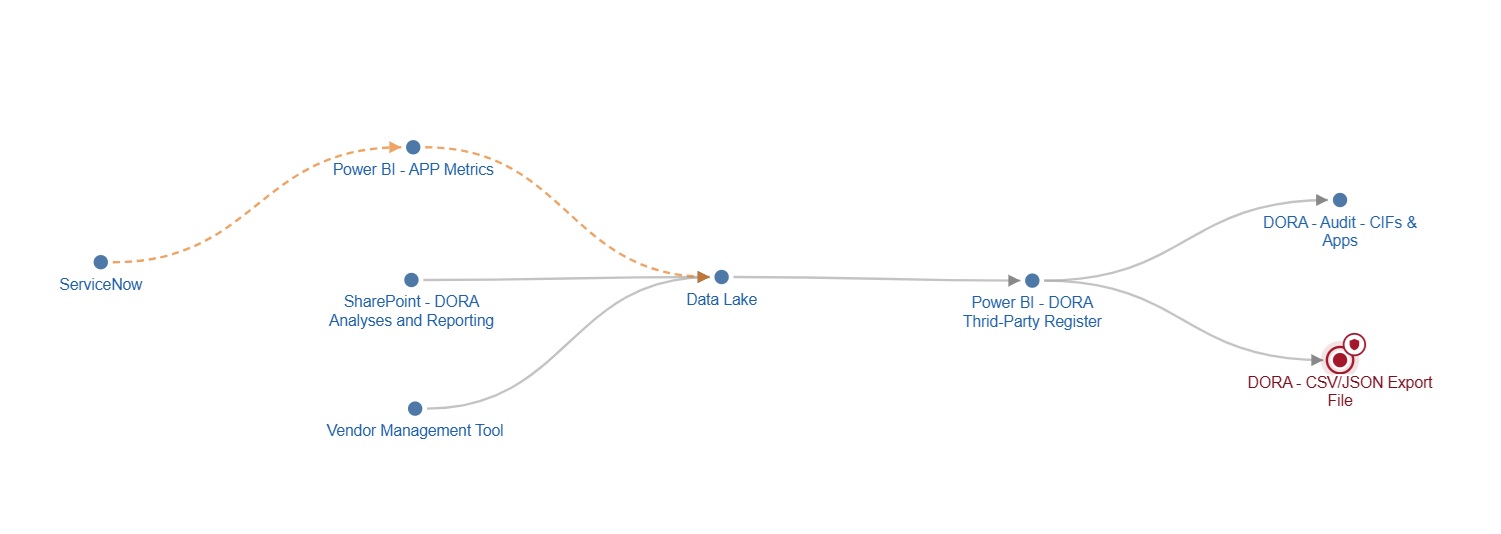
Every project reuses systems, datasets and flows that other teams depend on. Asset Navigator shows your project scope with its upstream and downstream dependencies, so you can see the impact of a delay, a change or a handover before it lands in someone's sprint.
Why project managers use it
You build it by hand at kickoff, and it's out of date by the first sprint review.
Two projects reuse the same dataset, and the teams find out during testing.
At closing, nobody can say exactly what stays running and who owns it now.
HOW Project managers USE IT
Open your project and see the assets it produces or uses, with the datasets and components behind them. That's your scope, kept current, not rebuilt for every steering meeting.
Open each dataset your project reads or writes. See its data classification and confidentiality, and who else uses it, so you plan data changes early, not in a late escalation.
When your team changes or retires a flow, see which other projects still use it and who to talk to first.
Run upstream and downstream impact analysis on what's in scope. If an asset is flagged business critical or regulatory critical, bring in compliance and architecture at the start, not a week before go-live.
See what your project already runs in production and what's still in test, so go-live and handover plans start from facts.
FOR SCRUM MASTERS
Before the team estimates a story, check what it touches. Dependencies on other teams show up as blockers in refinement, not in the middle of the sprint.
What you get
One view of what your project touches, kept current as the work moves.
Cross-project conflicts surface at kickoff and refinement, not in testing.
Know what stays running after the project ends, and hand it over with its connections.
Developers, architects and compliance look at the same map, so status calls get shorter.
Who it's for
Everyone sees what they need, and acts with confidence.
Understand dependencies before making changes, and see which applications, APIs, databases, datasets or reports are connected.
Read moreSee the technical landscape across business units and regions, to spot reuse, avoid duplicate builds and keep new solutions aligned with your architecture.
Read moreUnderstand where information comes from, how it moves through systems, and which reports or processes depend on it.
Read moreSee which assets and AI agents support your critical functions, with their classification, criticality and providers. Export your AI inventory report, ready for your auditor or regulator.
Read more