
No more spreadsheets that drift
Your function mapping lives on the same map IT maintains, so it stays current when systems and connections change.
For Risk & Compliance
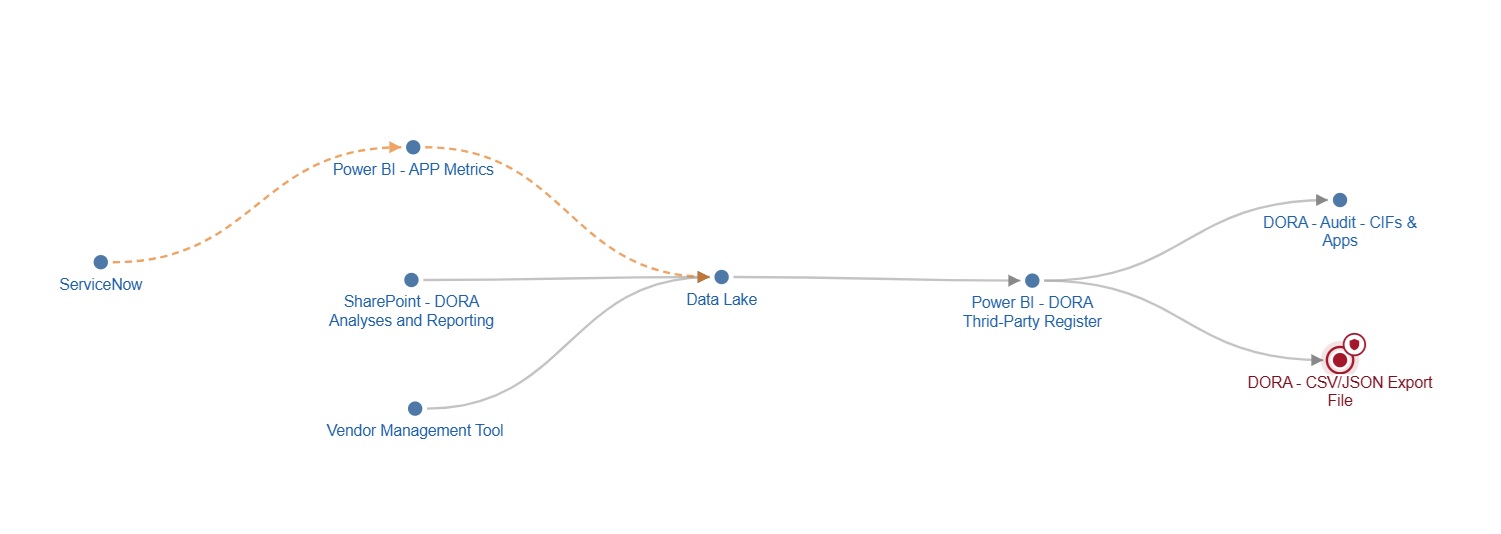
Asset Navigator links your critical functions to the applications, AI agents, datasets and external providers behind them, with their classification, criticality and owner. You see the full impact of a change or an incident, and you can show it to your auditor or regulator.
Why Risk & Compliance teams use it
Your function mapping lives on the same map IT maintains, so it stays current when systems and connections change.
AI agents and external providers often sit outside the official inventory. Here they are assets like any other, linked to the functions they support.
When the auditor asks, the answer is already there: one view, one export, instead of a week of emails to IT.
How Risk & Compliance teams use it
Add your business functions, flag the critical ones, and link the assets they depend on. Open a function to see its full network, including the upstream systems that feed it.
Record data classification, confidentiality and risk profile, and flag what is business critical or regulatory critical, next to the functions each asset supports.
Every AI agent with its provider, purpose, owner and risk rating, in the same map as the rest of your landscape. Missing fields are flagged, so you see what to complete.
When a security release or vendor notice lands, see which assets use the technology, which are critical and which critical functions sit downstream.
See which projects change assets behind a critical function, so you are involved before the planning is done, not after go-live.
FINMA and the EU AI Act both expect you to know which AI systems you use, what they do and how risky they are. Export your AI inventory report from the same data your teams maintain every day.
See the AI inventory reportWhat you get
Your mapping is updated where the systems are documented, not in a separate file.
Every critical function and AI agent has a named owner and the assets it depends on.
Missing owners, purposes and risk ratings stand out, so you fix them before an auditor finds them.
Your classifications and their technical connections sit in the same map, so both sides see the same impact.
Who it's for
Everyone sees what they need, and acts with confidence.
Understand dependencies before making changes, and see which applications, APIs, databases, datasets or reports are connected.
Read moreSee the potential impact of projects and changes, without relying on individual team members to explain the landscape.
Read moreSee the technical landscape across business units and regions, to spot reuse, avoid duplicate builds and keep new solutions aligned with your architecture.
Read moreUnderstand where information comes from, how it moves through systems, and which reports or processes depend on it.
Read more